
Minh Nguyệt - Cô gái xinh xắn dễ thương và hành trình chinh phục chứng chỉ ISTQB
we are vareal🤖
Technology
2026.04.08
⏱ 17 min read
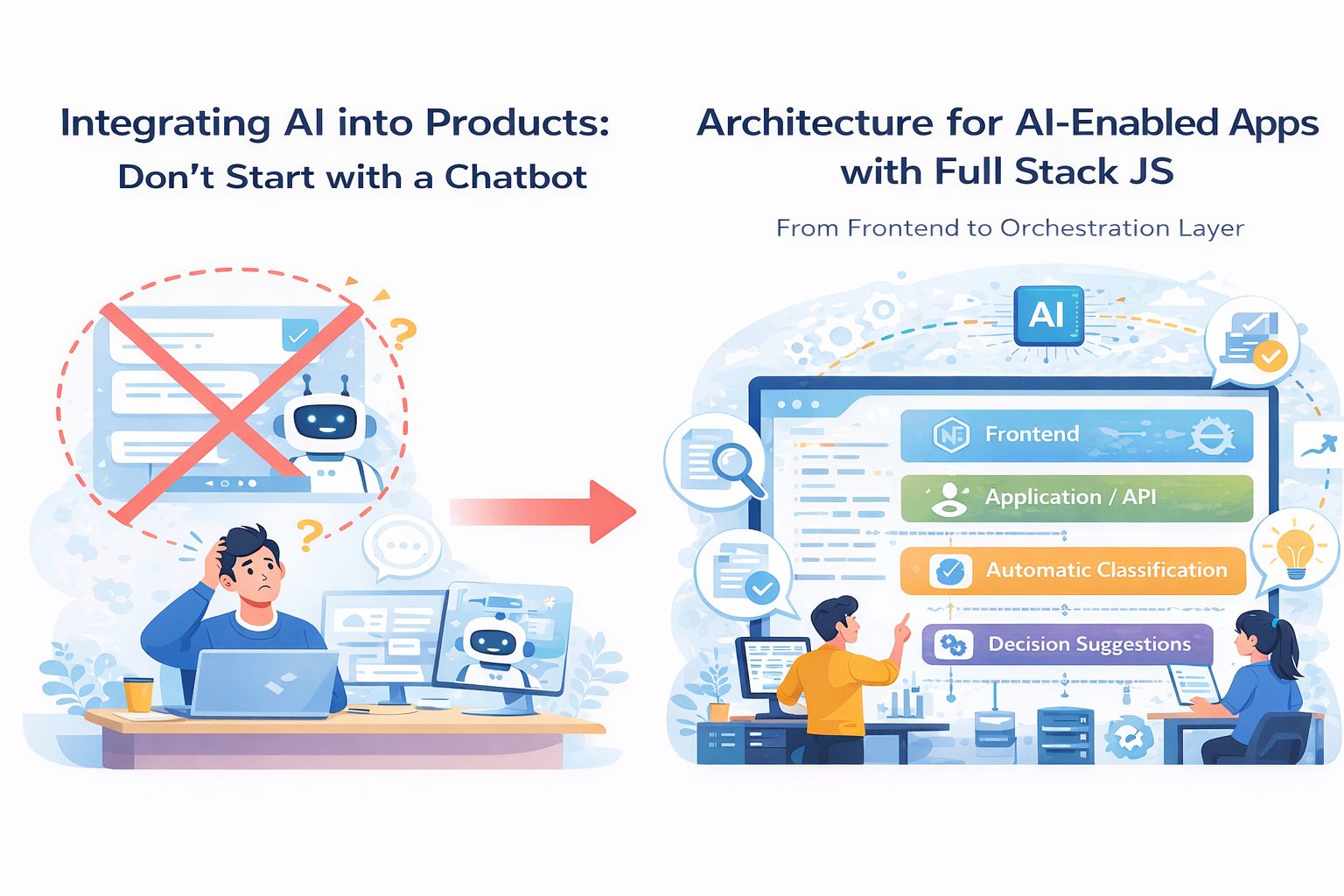
Architecture for AI-Enabled Applications with Full Stack JS: From Frontend to the Orchestration Layer
V
Software Development Department
Vareal Vietnam
There is a fairly common misunderstanding when teams start adding AI into a product.
Many people assume that if you:
Build a nice frontend
Call a model API
Render the result on screen
then you already have an “AI-enabled product.”
That may be true for a demo.
For a real product with real users, real data, real expectations, and real failures, it is usually not that simple.
The problem is that AI is not just another feature. In many cases, it introduces a new technical layer between product behavior and system architecture. If a team does not see that layer clearly from the beginning, it often ends up in a very familiar place: the demo feels smooth, but production becomes slow, hard to debug, expensive to operate, and increasingly messy as more use cases are added.
For teams building products with Full Stack JS, the question is no longer, “Can we call a model?” The real question is:
How should the architecture be organized so AI becomes an operational part of the product, rather than just another API call glued onto it?
Start with one reality: AI should not live directly inside the UI
At the beginning, many teams implement the most natural flow:
Frontend calls backend
Backend calls model
Model returns output
Frontend displays the result
That is usually enough for a prototype. But once the product starts handling:
Multiple request types
Multiple data sources
Multi-step processing
Retry, logging, and fallback logic
Token and cost tracking
Multiple models or tools working together
then the “single request goes straight from UI to model” pattern starts to break down.
The reason is simple: AI often stops behaving like a pure function with clean input and clean output. It becomes a stateful workflow with risk, exceptions, branching, and steps that the product needs to control more deliberately than a normal API call.
That is where the architecture needs a clearer middle layer.
Think about the architecture in four layers
If I had to explain it simply, I would usually think about an AI-enabled application as having four layers.
1. Frontend / experience layer
This is where the user interacts with the product:
Chat UI
Input forms
Content generation screens
Suggestion dashboards
Review screens for AI output
In a Full Stack JS setup, this layer is often:
React
Next.js
TypeScript
But the important point is not the framework. The important point is that the frontend should not carry too much AI logic. The UI should focus on:
Collecting input
Displaying system state
Showing progress
Rendering output
Supporting review, feedback, and retry
In other words, the frontend is where the AI experience becomes visible, but it should not be where AI is orchestrated.
2. Application / API layer
This is the backend layer closest to the product itself. It usually handles:
Authentication
Request validation
Session and user context
API contracts
Basic business rules
Routing by feature
In a Full Stack JS environment, this layer is often:
Next.js server routes
A Node.js API layer
Or backend services built with Express, NestJS, or Fastify
Many teams stop here and call the model directly from the API layer. That can work early on. But once the number of AI use cases grows, this layer becomes bloated very quickly if it is expected to manage both business APIs and AI workflows at the same time.
That is why the third layer matters.
3. Orchestration layer
This is the layer many teams do not define early enough, but it is often the one that determines whether an AI-enabled product can actually operate well.
The orchestration layer is where the system decides:
Which model to use
How prompts and context are assembled
Which tools are called, and in what order
Where data should be retrieved from
What happens if the model fails
How retries are handled
How logic branches by task type
How outputs from multiple steps are combined
How logging, tracing, and usage tracking work
And in some cases, where human-in-the-loop steps belong
Without a clear orchestration layer, AI logic ends up scattered across the system:
Some in the frontend
Some in the API routes
Some in service helpers
Some in background jobs
Some inside prompt files
And eventually no one can see the full flow anymore.
That is where AI integration starts to lose control.
4. Data / infrastructure layer
An AI-enabled product often needs more than just one database.
Beyond the main application database, teams often end up needing:
Object storage for files
A vector store or retrieval index
A job queue
Cache
Logging and observability tools
Usage analytics
Secret and configuration management
Depending on the use case, that may include:
PostgreSQL or MySQL for application data
Redis for cache or queue
S3-compatible storage for files
Queue workers for heavier tasks
Search or vector layers for retrieval
This layer is not new to product engineering, but AI makes it more important because the system starts to include more asynchronous work, more unstructured data, and more things that need monitoring.
Where Full Stack JS is strong in this problem space
There is a reason many teams like using Full Stack JS for AI-enabled products.
It is not that JavaScript is somehow more “AI-friendly” than other languages in a pure technical sense. It is that this ecosystem is very well suited for building a smooth end-to-end product flow from UI to service layer.
A stack like:
Next.js
React
TypeScript
Node.js
Queue or worker processing
A relational database
Redis
Cloud deployment
is often enough to build many categories of AI-enabled products in early and mid stages.
The strengths are clear:
One language across multiple layers
Fast development cycles
Tighter connection between frontend and backend
Easier sharing of types, validation schemas, and domain models
Faster product iteration
But there is an equally clear weakness: because it is so convenient, teams often keep everything inside one app for too long. And when that happens, the orchestration layer never becomes explicit, and AI logic gets mixed directly into product logic.
The trap of Full Stack JS is not that it is too weak.
The trap is that it is too convenient to keep everything in one place.
A healthier flow for an AI-enabled product
If I had to describe a practical architecture, it would look something like this:
The user interacts with the frontend.
The frontend sends a request to the application API.
The API authenticates the request, loads user context, and checks basic business rules.
Then the API hands the work off to the orchestration layer.
The orchestration layer decides:
Which model to call
Whether retrieval is needed
Whether tools or workflow steps are needed
Whether the task should run synchronously or move into a background job
Only after that is the result returned to the frontend, or stored so the frontend can poll, stream, or refresh by status.
Yes, that sounds more involved than simply “calling a model.” But that is the cost of building a system that stays understandable once the number of use cases grows.
When should work stay synchronous, and when should it become a job?
This is one of the most practical architecture decisions.
Not every AI feature should return its result inside a single request-response cycle. Some tasks are light enough to run synchronously:
Short text generation
Summarizing small inputs
Simple classification
Fast suggestions
But other tasks are much better handled through queues or jobs:
Processing large documents
Multi-step reasoning
Retrieval across multiple sources
Generating long reports
Multi-step pipelines
Audio or video processing
Post-processing or validation
A lot of bad AI experiences are not caused by weak models. They are caused by architectures that try to force a long workflow into a synchronous request, which leads to:
Slow UI
Timeouts
Repeated retries
Unclear state
Poor visibility into failures
Once there is a clear orchestration layer and a clear job layer, those problems become much easier to control.
AI features often fail because of reliability, not because of the model
This is something many teams realize too late.
Building an AI feature for a demo is usually not that hard. You call a model, the output looks good, everyone says it feels impressive.
The much harder part is making that feature:
Ttable
Measurable
Debuggable
Cost-aware
Resilient when model quality drops
Safe for UX when outputs are weak
So when designing architecture for an AI-enabled product, do not only think about model calls. Think about:
Timeouts
Retry policies
Fallback responses
Guardrails
Prompt and response metadata logging
Observability by feature
User feedback loops
Prompt and workflow versioning
Without these layers, AI features often fall into the worst category of all: “sometimes it works, sometimes it does not,” and nobody really knows why.
Retrieval, prompts, and tool calling should not be scattered everywhere
A very common design mistake is this:
Prompts are hardcoded inside routes
Retrieval logic lives in a helper file somewhere else
Tool calling sits inside another service
Post-processing happens in yet another place
After a few sprints, no one wants to touch that flow because changing one part might break another.
A healthier way is to treat each AI use case as a named pipeline with a clear boundary, clear input, and clear output.
For example:
generate_product_summary
extract_invoice_fields
suggest_support_reply
build_candidate_shortlist
Each pipeline should define:
Input contract
Required context
Retrieval step if needed
Model configuration
Tool steps if needed
Output schema
Error and fallback behavior
Once use cases are structured this way, it becomes much easier for teams to:
Test them
Monitor them
Review them
Improve them
Swap models or prompts without breaking the flow
Frontend for AI is not just about displaying text
When people hear “AI-enabled product,” they often imagine a chatbox. But in reality, frontend design for AI usually needs more nuance than that.
A strong AI UI should support:
Clear loading states
Streaming when appropriate
Result comparison
Inline review, approval, or rejection
User feedback
Fallback behavior when output quality is weak
The ability to edit outputs rather than forcing users to accept them as-is
This matters because AI rarely produces perfect output every time. A thoughtful product does not pretend the model is always right. It designs the experience so users:
Understand what the system is doing
Know when to trust it
Know when to adjust it
Do not get stuck in unclear waiting states
That is where the frontend and orchestration layers need to work together well.
When do you need an agent, and when is a workflow enough?
This is an area where hype often gets in the way.
If a flow is already fairly clear:
Fetch data from A
Call a model to process it
Validate the output
Store the result in B
Send the result back to the UI
then you probably do not need an agent. What you need is a well-designed workflow.
Agents should only be considered when the problem really requires:
Flexible multi-step decision-making
Tool selection based on context
Planning across multiple actions
Open-ended flows that are not fully predefined
For most enterprise product features, clear workflows, strong guardrails, and healthy orchestration are usually much more practical.
In other words:
do not use an agent just because it sounds more advanced.
What does a good architecture for an AI-enabled product usually include?
If I had to summarize it, I would look for these qualities:
A frontend that is clear but does not carry AI logic
An API layer that preserves business contracts
An orchestration layer that is explicit and structured
Queue or job handling for long-running or heavy tasks
Clear persistence for both product data and workflow data
Observability that shows how AI features actually behave
Outputs with schema or at least well-defined contracts
Fallback and error handling designed from the start
Prompts and workflows that are not scattered randomly across the codebase
Not every system needs all of this at full scale on day one. But if the team sees these layers early, the product has a much better chance of growing without chaos.
Conclusion
Building an AI-enabled application with Full Stack JS is not hard if the goal is simply to create a demo that works. The harder challenge is building a system that is structured enough for AI to become an operational part of the product.
At that point, the question is no longer:
“How do we call a model?”
It becomes:
Where should AI sit inside the architecture?
Where should orchestration logic live?
As features grow, who still understands the full flow?
When the model fails, how does the system respond?
Once the product is in production, how does the team observe and improve AI behavior?
With Full Stack JS, the great advantage is speed and continuity from frontend to backend. But to move beyond demos, teams need something else too: architectural discipline.
Because in the end, a good AI-enabled product is not the one that calls a model in the most places.
It is the one that knows where AI belongs inside the system.
V
Software Development Department
Vareal Vietnam

VAREAL Vietnam
AI-first software company — building intelligent solutions with AI at the core.
MST: 0108704322 — Hà Nội