
Minh Nguyệt - Cô gái xinh xắn dễ thương và hành trình chinh phục chứng chỉ ISTQB
we are vareal🤖
Technology
2026.04.22
⏱ 17 min read
Integrating AI into a Product: Do Not Start with a Chatbot
V
Software Development Department
Vareal Vietnam
When teams begin talking about “bringing AI into the product,” the first idea that often appears is a chatbot.
That is easy to understand. A chatbot is the most visible format:
- There is a chat window
- The user types a question
- AI responds
- It immediately feels like “real AI”
It is easy to demo. Easy to explain. And it looks modern.
The problem is that being easy to visualize does not mean it creates the most value.
A lot of teams start their AI journey with a chatbot not because it is the best use case, but because it is the easiest one to imagine. And that is where things can go wrong very early. If a team starts from the chat interface instead of the user’s actual problem, the product may end up with AI on the surface but very little meaningful improvement in the user experience or operational efficiency.
In other words, chatbots are often the easiest starting point for a demo, but not always the right starting point for a product.
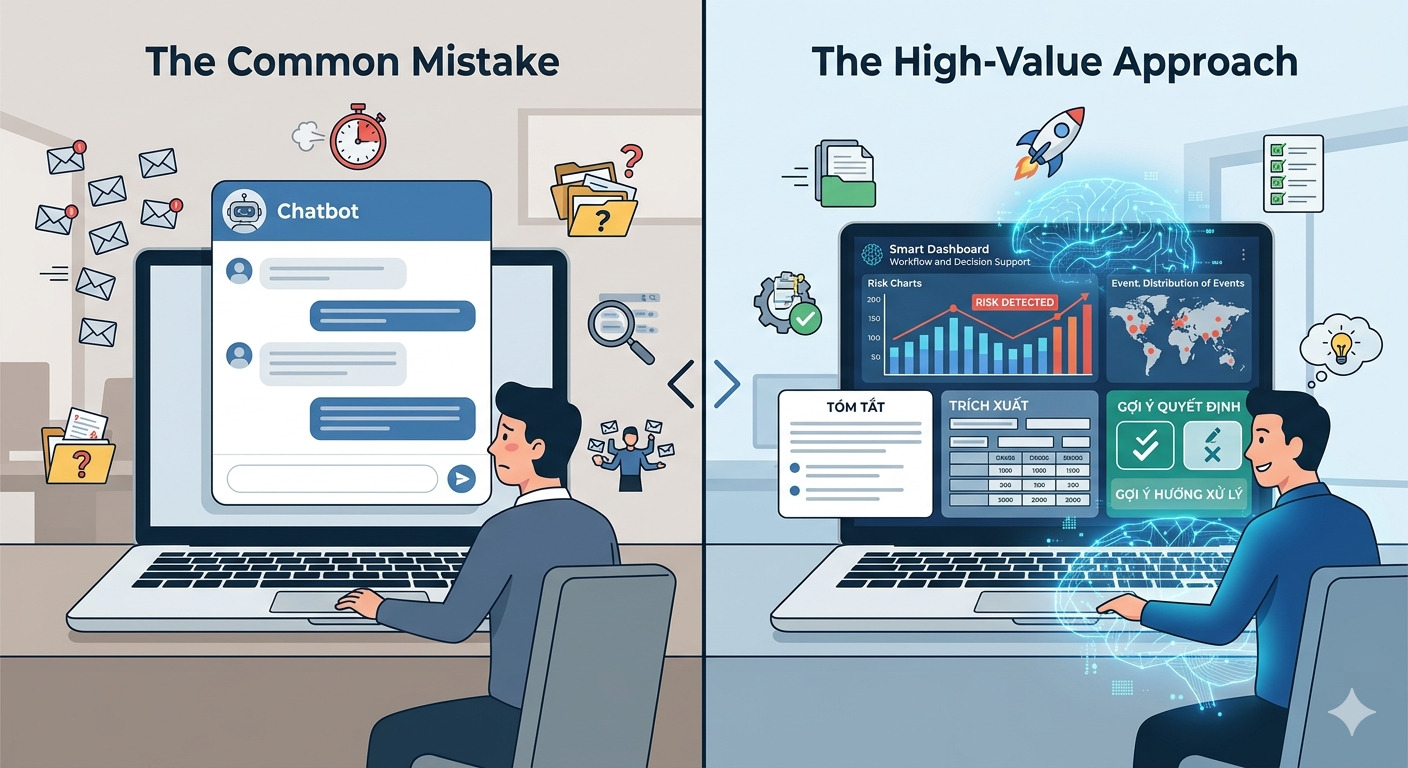
The common mistake: seeing AI and thinking “chat”
There is a very common line of thinking:
“If we are adding AI, then we probably need a chatbox.”
That idea is attractive because it is simple. It turns AI into something immediately visible. But that simplicity often causes teams to skip the more important question:
What is AI actually helping the user do better?
If that question is not answered clearly, the chatbot often becomes just a new interface sitting on top of old problems:
Information is still fragmented
Workflows are still too complex
Data is still hard to use
Decisions are still slow
Repetitive tasks still consume too much time
At that point, the product is not really smarter. It just has a chat window.
AI often creates more value inside the workflow than inside the chat frame
This is where product teams should slow down and think more carefully.
In practice, the places where AI creates the clearest value are often not where users “talk to AI,” but where the system:
Shortens a step
Suggests a decision
Classifies information automatically
Extracts structured data
Summarizes content
Detects anomalies
Prepares a first draft for a human to review
These use cases may be less flashy than a chatbot, but they are often much closer to actual business value.
For example:
In an operations system, AI can summarize tickets and suggest next actions
In an HR product, AI can normalize CVs, highlight match quality, and generate an initial shortlist
In an internal system, AI can extract fields from contracts or invoices
In a content platform, AI can suggest titles, metadata, or article structure
In a customer support product, AI can suggest replies instead of forcing the user to chat from scratch
In all of these cases, AI is not sitting at the center of the interface. It is sitting inside a valuable step in the workflow.
That is what should be designed first.
Chatbots are not wrong. But they often arrive too early
This does not mean chatbots are always the wrong choice.
There are cases where they make perfect sense:
Internal knowledge assistants
Domain-specific support assistants
Data exploration interfaces
Guided assistants inside complex systems
But chatbots only make sense when:
Users actually need open-ended interaction
The system has enough context to respond usefully
The error margin is acceptable
The UX is designed to handle weak answers gracefully
Without those conditions, chatbots often become:
A new channel that users do not trust
A place that gives vague answers to everything
A feature that demos better than it works
In short:
chatbots are not wrong, but many teams introduce them too early, before they understand where AI should create value inside the product.
Start from the pain point, not from the interface format
When thinking about AI in a product, a much better starting point is to ask:
Where are users losing time today?
Which step creates the most friction?
Which decisions are repeated over and over again?
Which workflows still depend on too much manual effort?
Where is there too much data but too little signal?
Which tasks could be partially supported instead of done from scratch every time?
Once those questions are answered, the team usually sees much more practical AI integrations than a chatbot.
Instead of asking:
“Should we add chat?”
Ask:
“Are users forced to read too much before making a decision?”
“Is there a step the system could prepare in advance?”
“Is there data we are wasting because nobody has time to process it?”
“Is there repetitive work where AI could create the first draft?”
That is when AI starts becoming a product capability, not just a modern-looking feature.
Better starting points than chatbots
If I had to prioritize practical starting points, I would usually begin with these categories.
1. Summarization
A lot of systems force users to read too much:
Long tickets
Long threads
Long documents
Long activity histories
AI can help:
Summarize status
Highlight key points
Identify decisions
Prepare executive summaries
This creates value quickly because it reduces cognitive load in a very direct way.
2. Extraction and normalization
Many workflows still depend on messy input:
CVs
Invoices
Contracts
Emails
Free-text forms
AI can help:
Extract fields
Normalize formats
Map data into structured models
Reduce manual entry and manual checking
3. Classification and routing
In many systems, the problem is not content generation. It is:
Classifying correctly
Routing to the right person
Prioritizing correctly
Detecting unusual cases
This is an area where AI can be extremely useful, even though it is much less flashy than a chatbot.
4. Draft-first workflows
One of the strongest patterns is to let AI create the first draft, then let humans review it.
For example:
Draft replies
Draft reports
Draft candidate summaries
Draft requirement structures
Draft article outlines
This works well because it:
Speeds up work
Preserves human control
Introduces less risk than letting AI fully answer on its own
5. Recommendations in context
Instead of forcing users to “ask AI what to do,” the system can proactively suggest things at the right step:
Suggest the next action
Suggest missing information
Suggest a relevant template
Suggest response options
Suggest anomalies to review
This is the kind of AI that disappears into the experience, but often becomes more useful than a chatbox sitting in the corner of the screen.
Product teams should treat AI as a capability, not as a screen
This is an important shift.
A strong product does not ask:
“Where should we add an AI screen?”
It asks:
“Which AI capabilities should be embedded into the product so the workflow becomes better?”
Once the team thinks this way, it starts reasoning in capabilities:
Summarize
Extract
Classify
Recommend
Generate a draft
Validate
Detect anomalies
Instead of reasoning in formats:
Chatbox
AI page
Assistant panel
That changes product design completely.
Because then AI is no longer a separate corner of the experience. It becomes a capability embedded into the right point of the user journey.
The problem with chatbots is not just UX, but reliability
Another reason chatbots are often not the best starting point is that they expose too much AI risk directly to the user.
When the user asks a question and the system answers incorrectly, trust drops immediately.
When the answer is long but useless, the user feels the wasted time.
When the response sounds confident but misses the actual context, the product looks worse than if it had no AI at all.
By contrast, when AI is used to:
Prepare drafts
Summarize information
Suggest classifications
Support review
the error margin is usually much easier to control, because a human still remains in the final decision loop.
That is why many of the best AI integrations today are actually quite modest on the surface. They do not try to make AI look big. They try to make the work flow better.
A good sign: AI disappears into the experience
There is an interesting paradox in product design:
The best AI integrations often look the least like obvious “AI features.”
Users do not necessarily need to feel:
“I am talking to AI.”
Instead, they simply feel:
The process is faster
There is less reading
There is less manual entry
There is less need to decide from scratch
The output is better
That is a good sign.
Because in the end, users do not buy chatbots. They buy:
Speed
Clarity
Efficiency
Better decisions
Less friction in their work
If AI helps with those things, then it is doing its job, whether there is a chat interface or not.
So when should you build a chatbot?
If a team still wants to build one, I think it should only happen after it has a reasonably clear answer to three questions.
1. Do users actually need open-ended interaction?
If the workflow is highly structured, chat may not be the best interaction model.
2. Does the system already have enough context?
If data is messy, retrieval is weak, or internal logic is unclear, the chatbot will likely return vague or context-poor answers.
3. Does the team already have a reliability strategy?
If there is no:
Fallback
Feedback loop
Observability
Guardrail
Human review strategy
Then the chatbot will expose weaknesses faster than anything else.
Conclusion
Integrating AI into a product should not begin with the question:
“How do we build a chatbot?”
It should begin with:
Where are users getting stuck?
Which step wastes too much time?
Which decisions could be better supported?
Which workflows would improve if the system could summarize, extract, recommend, or draft something first?
A chatbot may be part of the answer. But in many cases, it is not the best place to start.
Because in real products, the biggest value from AI is not always found in the place that looks the most like AI.
It is usually found in the place that helps users work faster, with more clarity, and with less friction.

V
Software Development Department
Vareal Vietnam

VAREAL Vietnam
AI-first software company — building intelligent solutions with AI at the core.
MST: 0108704322 — Hà Nội